
Layout for publishing a book in EPUB, MOBI and FB2 formats
Layout of e-books in EPUB, MOBI and FB2 formats - preparing the text, the styles, the images and the navigation so that the book displays correctly on e-readers, tablets and smartphones. We provide an aesthetic appearance, convenient navigation and compliance with the standards of each format.
- Layout in EPUB, MOBI and FB2 formats
- Responsive text for any screen size
- Table of contents with active links and convenient navigation
- Image optimisation and checking with validators
- Testing on Kindle, PocketBook, Kobo and in mobile applications
The rapid development of digital technology has opened up unlimited opportunities for authors and publishers to distribute literature. E-books in EPUB, MOBI and FB2 formats have become an integral part of modern reading and give users convenient access to their favourite works on a variety of devices. However, for a book to find its reader in the digital space, high-quality text alone is not enough. Layout plays an important role: it provides an aesthetic appearance, convenient navigation and correct display of the content on different platforms. Below we look at how layout is done for publishing a book in EPUB, MOBI and FB2 formats, and give practical advice that will help you create a high-quality electronic product.
The popularity of e-books and their formats
Modern technology has changed the way we read. E-books have become a convenient and affordable option for many people, because they let you read anywhere without carrying heavy paper editions with you.
E-books have many advantages:
- they can be stored in large quantities on a single device, which is convenient for people who read a lot;
- they are available immediately after purchase, with no need to wait for delivery;
- they can be read on a smartphone, a tablet, an e-reader or a computer.
In addition, e-books are often cheaper than paper ones, and the font size can be changed, which matters for comfortable reading. There are several main e-book formats, each with its own characteristics.
- EPUB is the most popular format. It is compatible with most readers and allows the size of the text to be changed.
- MOBI is a format for Kindle devices. It does not support all the features of EPUB, but it works reliably.
- PDF is useful for preserving the page layout. It is hard to adapt to small screens, but it displays graphics well.
- AZW is a native Kindle format. It supports copy protection.
E-books are therefore becoming more and more popular. They are convenient and affordable and come in a variety of formats, so every reader can choose the one that suits their needs best.
The importance of quality layout for comfortable reading
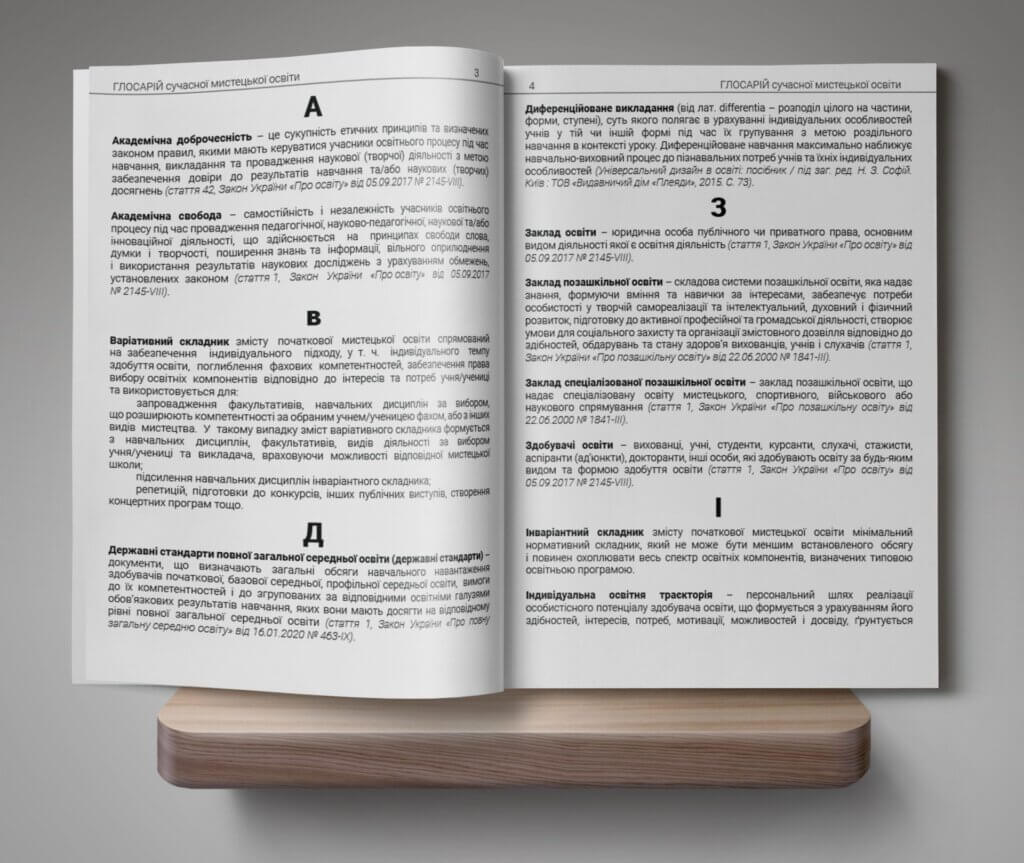
Layout is not just the placement of text on the page. It affects how the book is perceived and how comfortable the reader feels. If the text is hard to read, even an interesting story can lose its appeal. So why is layout important?
- Good layout makes reading easy. It helps the eye move across the page. If the text is too dense, it creates visual clutter; if the paragraphs are too sparse, the reader can lose the thread of the argument.
- Good layout makes a book attractive. It takes into account the font size, the line spacing and the margins. Headings and subheadings also have to be positioned correctly, which helps the reader find the information they need quickly.
- Quality layout suits different formats. A printed book, an electronic edition or an audio version – each option requires its own correct design. For e-books, the adaptability of the text is important; for print, the exact placement of elements on the page.
The basic rules of layout are:
- A clear structure. Sections should be divided logically and headings should be highlighted.
- Balanced spacing. The line spacing should be neither too tight nor too loose.
- A comfortable font. It is important to choose readable fonts that do not tire the eye.
- Correct placement of images. Illustrations should combine harmoniously with the text.
Layout therefore plays an important role. It makes the book convenient, attractive and easy to follow, so quality layout is the key to enjoyable reading.
E-book formats
E-books are becoming more and more popular because they are convenient, affordable and easy to use. However, the file format matters: it affects the display of the text, the compatibility with devices and the readability. Let us look at the most common formats – EPUB, MOBI and FB2.
EPUB is the most popular e-book format. It is supported by almost all devices and reading applications.
- Its main advantage is responsive text, which adjusts to the screen size and the font.
- EPUB supports images, hyperlinks, interactive elements and even audio.
- It is suitable for tablets, smartphones, e-readers and computers.
The format has its drawbacks as well: some older devices cannot open EPUB without special software.
MOBI is a format created for Kindle e-books. It was originally developed by Mobipocket and was later acquired by Amazon.
- MOBI works well on Kindle devices.
- It supports bookmarks, footnotes, images and text styles.
- It is convenient for reading on black-and-white readers.
The format has its limitations too. It does not support video or complex layout, and MOBI is not compatible with most readers apart from Kindle.
FB2 is a format that has become very popular in Eastern Europe. It is used mostly for fiction.
- It is lightweight and compact and takes up little space.
- It is well structured, with a clear division into chapters, quotations and notes.
- It is supported on many older devices.
Its main disadvantage is that FB2 is not responsive: its text has a fixed structure, which is not always convenient on small screens.
The choice of format therefore depends on your needs. If you need versatility, it is better to choose EPUB; if you read on a Kindle, MOBI; and if you want a lightweight file with a clear structure, FB2 will be a good option.
Preparing the text before layout
Before starting the layout of a book it is important to prepare the text properly. This helps to avoid errors and makes the text cleaner and easier to format. Good preparation also simplifies the typesetter’s work and improves the final result.
The first step is to clean up the text. The source material may contain extra spaces, incorrect quotation marks or unreadable characters, and all of this can spoil the appearance of the book.
- Removing double spaces. Extra spaces often appear while the text is being edited and should be replaced with single ones.
- Replacing incorrect quotation marks. Ukrainian typography uses angle quotation marks rather than straight ones.
- Correcting hyphens and dashes. A hyphen is used inside compound words, while a dash separates parts of a sentence – these are different characters and should not be confused.
- Removing unnecessary formatting. The text may contain different fonts, colours or incorrect indents. It is important to make it uniform.
For the layout to be convenient, the text has to be structured. Using styles helps to keep a clear hierarchy in the text.
- Headings. It is important to mark the heading levels (H1, H2, H3). This improves navigation in an e-book.
- Paragraphs. The text should be divided into logical paragraphs, because overly long fragments make reading difficult.
- Quotations and footnotes. Quotations have to be formatted correctly – through a separate style or in italics.
- Line breaks. In electronic formats the text adjusts to the screen automatically, so artificial line breaks can cause problems.
Hyperlinks are important for e-books and scholarly editions, because they help the reader move between sections or to external sources.
- Internal links. In books with chapters or footnotes it is useful to add navigation – for example a link to the table of contents or to the list of sources.
- External links. In academic or educational books it is worth adding the sources, but you have to make sure that they remain up to date.
- Footnotes. If the text contains explanations or clarifications, they should be presented as footnotes. This makes the text easier to read.
Preparing the text is an important stage in creating a book, because the quality of the final design depends on it. If the text is clean and well structured, the layout goes faster and the book is more enjoyable for the reader.
Layout of books in EPUB format
EPUB is one of the most popular formats for e-books. It is supported by most readers and reading applications, and thanks to its flexible structure it lets the text adapt to any screen size. Before publication, however, the file has to be prepared properly.
The EPUB format consists of several core files that define the structure of the book and ensure that it is displayed correctly.
- OPF (Open Packaging Format). This file contains the meta information about the book: the title, the author, the format, the list of files and the style settings.
- NCX (Navigation Control file for XML). It is responsible for the table of contents and the navigation. Thanks to the NCX the reader can move between sections quickly.
- HTML / XHTML. The text of the book itself with its markup. EPUB uses HTML5 or XHTML to present the content.
It is important to organise the structure correctly so that the book is convenient to use. The EPUB format supports CSS for text formatting, which allows the appearance of the pages to be changed without changing the HTML code itself.
- Fonts. You can set the font type, size and style, but non-standard fonts should be avoided, because they may not be supported by all devices.
- Indents and line spacing. Adjusting the indents makes the text easier to read.
- Text alignment. EPUB supports justified, left, right and centred alignment.
- Heading styles. It is important to format the headings (H1, H2, H3) correctly for easy navigation.
Images in EPUB also have to be positioned correctly so that they display properly on all screens.
- File format. EPUB supports JPEG, PNG, SVG and GIF. JPEG is best for photographs and PNG for illustrations.
- Image size. It is a good idea to reduce the file size without losing quality. This speeds up the loading of the book.
- Alternative text (alt). It is needed for correct display if an error occurs and for readers who use assistive technology.
Proper optimisation of the images makes the book look good without overloading the file. Before publication the book has to be checked for errors: if the structure is incorrect, readers may not display the text properly. By following the standards you can create a professional EPUB file that is convenient, lightweight and accessible on all devices.
Layout of books in MOBI format
The MOBI format is popular with Kindle users. It was designed specifically for e-books in order to provide a comfortable reading experience, and it supports an interactive table of contents, annotations and variable font sizes. However, it has certain features that have to be taken into account during layout.
MOBI was developed for the Kindle and has several particularities:
- Compact file size. MOBI compresses text and images, which makes the book load faster.
- Support for variable font size. The reader can adjust the text to their needs.
- Limited style support. MOBI does not work with some CSS elements, such as floating images or complex tables.
- No video or audio. Unlike EPUB 3.0, MOBI does not support multimedia elements.
The format is well suited to text-based books such as novels, business literature or textbooks.
Most e-books are first laid out in EPUB and then converted to MOBI. This can be done with special programs.
- Calibre. A free program for working with e-books. It converts EPUB to MOBI quickly and lets you edit the metadata.
- Kindle Previewer. An official tool from Amazon. It shows how the book will look on different Kindle devices.
For the conversion to be correct you should:
- make sure that the EPUB file contains no errors;
- use simple CSS markup, because MOBI has styling restrictions;
- avoid complex tables, because they may not display correctly.
MOBI books are mostly read on Kindle devices, so they have to be optimised in order to display correctly.
- Fonts. MOBI supports the standard Kindle fonts. Embedded non-standard fonts may not be displayed.
- Images. JPEG or PNG is recommended. The optimal size is up to 127 KB, so that the file is not overloaded.
- Indents and alignment. The Kindle does not support full justification, so it is best to use the default settings.
- Heading formatting. Use H1, H2 and H3 in the correct order so that the book has a clear structure.
MOBI is ideal for books published on the Kindle. It is easy to convert from EPUB, but the formatting has to be done correctly.
Layout of books in FB2 format
The FB2 format is popular in Eastern Europe. It is used for e-books on many readers and mobile applications. Its main feature is the use of an XML structure, which gives simplicity and flexibility.
The format is well suited to text-based books, especially fiction, but it has its own particularities that have to be taken into account during layout. FB2 is based on XML, and the book consists of clearly defined blocks: a description block with the metadata of the book (title, author, genre, annotation), a body block with the main text divided into chapters, and a binary block with the images encoded in Base64.
It is important to structure the text correctly, because this makes sure that the book is displayed properly on all devices. FB2 has its own system of tags, which help to mark up the text and preserve the structure of the book: a title tag for section titles, a paragraph tag for the main text, a strong tag for bold, an emphasis tag for italics, an epigraph tag for epigraphs before a section and a cite tag for quotations and excerpts from other texts.
FB2 does not support complex formatting, but its markup preserves the logic of the text and adapts it to different devices. FB2 also supports graphic content, although inserting images has its own particularities.
- Images are encoded in Base64 and stored in the binary block.
- The image formats are JPEG and PNG.
- Every image has a unique ID that links it to the image tag in the text.
- Large files should be avoided when inserting images: FB2 does not support animation or complex graphics.
Before publishing a book in FB2 the file has to be checked. This helps to avoid errors in the structure and in the display of the text.
- Use an FB2 validator to check the XML structure.
- Open the file in different programs (CoolReader, FBReader, AlReader) for testing.
- Make sure that all the tags are closed properly.
- Check that the images are displayed correctly.
The FB2 format is convenient for text-based books. Its XML structure makes it lightweight and compatible with most readers. By using the tags correctly, inserting the images properly and validating the file you can create a high-quality e-book that is convenient for readers.
Tools for book layout
The layout of e-books requires special programs. They help to edit the text, format the files and check their compatibility with devices. Some tools are suitable for creating EPUB, others for MOBI or FB2. Let us look at the main programs for working with e-books.
Calibre is a versatile tool for conversion and editing. This multifunctional program lets you create, edit and convert e-books.
- It supports EPUB, MOBI, FB2, PDF and TXT.
- It converts books from one format to another.
- It has a built-in metadata editor.
- It lets you preview files before publication.
This tool is ideal for authors who want to prepare their book for publication on various platforms.
Sigil is a specialised EPUB editor that gives complete control over the structure of the book.
- It lets you edit HTML and CSS.
- It has a built-in code and text viewer.
- It supports WYSIWYG editing.
- It checks the validity of EPUB files.
If your book has complex formatting, Sigil is a good choice for its layout.
Kindle Previewer is an official application from Amazon for viewing MOBI files on different devices. It lets you check how the book will look on Kindle devices.
- It shows how the text appears on e-readers, tablets and phones.
- It checks compliance with the Kindle standards.
- It lets you test different fonts and screen sizes.
- It supports MOBI and KPF.
This program helps you avoid problems before publishing a book in the Kindle Store.
There are other tools that can be useful during layout as well.
- Jutoh – an editor for creating EPUB and MOBI files.
- Pandoc – a converter that turns text files into various formats.
- Hemingway Editor – helps to improve the readability of the text.
- Google Docs – convenient for working on a manuscript together.
The right choice of layout tools depends on the format of the book. Calibre is suitable for conversion, Sigil for creating EPUB and Kindle Previewer for testing MOBI. With these programs you can create a professionally designed e-book that will be convenient for readers on any device.
Tips and recommendations for the layout of books in EPUB, MOBI and FB2
The layout of e-books requires attention to detail. Every format has its own characteristics, but there are general rules that help make the text easy to read.
- Use correct text formatting and follow a logical structure.
- Set the headings according to their hierarchy (H1, H2, H3) for better navigation.
- Align the text to the left to avoid display problems on different devices.
- Do not use spaces or tabs to create indents – apply styles instead.
- Choose standard fonts that are supported by most e-readers.
- Keep the use of bold, italic and underlined text to a minimum to improve readability.
- Optimise images in JPEG or PNG for fast loading.
- Use a resolution of no more than 300 DPI so that the file is not overloaded.
- Add alternative text to the images to improve accessibility.
- Create a table of contents with active links for easy navigation.
- Use anchor links for quick movement between sections.
- Make sure that all the hyperlinks work correctly and lead to the right pages.
- Check the file for compliance with the standards using an EPUB validator (EpubCheck).
- Test the book on different devices: Kindle, PocketBook, Kobo and mobile applications.
- Correct all technical and stylistic errors before uploading the book to the sales platforms.
Correct layout ensures comfortable reading. Follow these recommendations to create a book that will be convenient on every device and that will look professional and attractive to readers.
Ready to get started?
Submit your request - a manager will contact you within the day with a detailed quote.